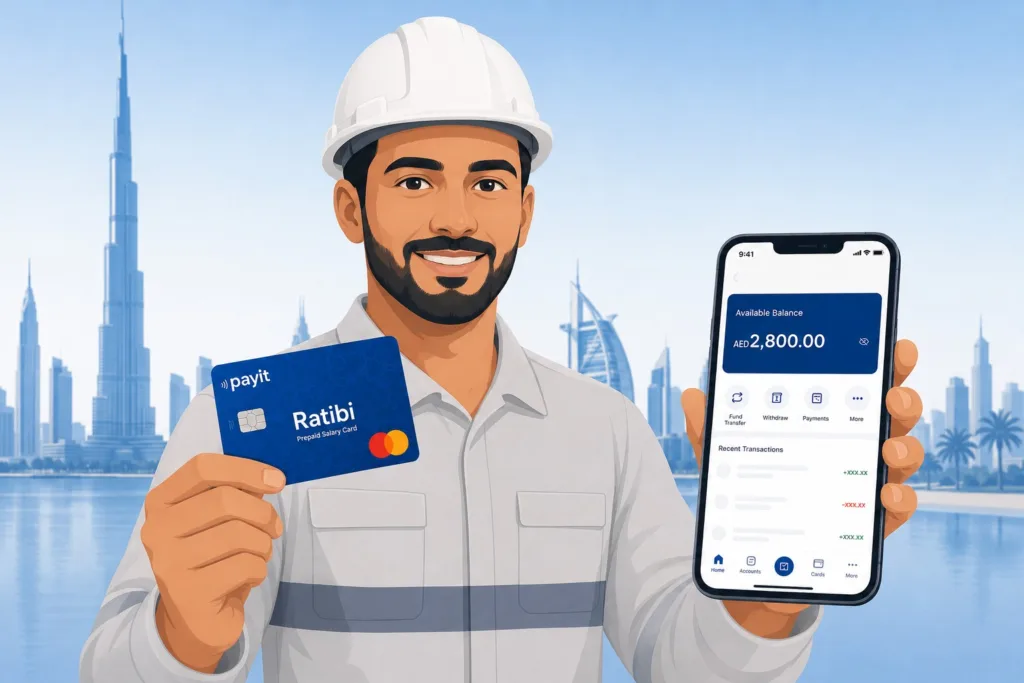
If your salary comes on a Ratibi card, the first thing you do on payday is check whether the money has landed. This guide covers every official method to check your Ratibi card balance in 2026 — online, via app, ATM, and phone — with the exact steps for each one.
Quick Answer The fastest way to check your Ratibi card balance is through the official PPC Magnati portal at ppc.magnati.com/ppc-inquiry. Enter the last 4 digits of your card number, your Card ID, and the captcha — your balance appears instantly. No login, no app, no bank account needed.
What Is the Ratibi Card and Who Gets One?
The Ratibi card is a prepaid salary card issued by First Abu Dhabi Bank (FAB) for employees earning up to AED 5,000 per month. It lets your employer pay your salary directly onto the card without you needing a traditional bank account.
It is fully compliant with the UAE Wage Protection System (WPS), which is managed by the Ministry of Human Resources and Emiratisation (MOHRE) and the UAE Central Bank. That means your employer is legally required to credit your salary through an approved channel — and the Ratibi card is one of those channels.
You cannot apply for this card yourself. Your employer applies on your behalf through FAB’s corporate payroll system. Once issued, you receive the card and activate it using the Payit app or at any FAB ATM.
Understanding your full compensation package — including gratuity and end-of-service benefits — is equally important as tracking your monthly salary.
Who uses it: Construction workers, domestic staff, retail and hospitality employees, and any worker earning AED 5,000 or below who does not hold a UAE bank account.
How to Check Your Ratibi Card Balance — All 5 Methods (2026)
You can check your Ratibi card balance through five official channels. The right one for you depends on whether you have internet access, a smartphone, or are near an ATM.
| Method | Requires Internet | Requires Smartphone | Speed | Cost |
|---|---|---|---|---|
| PPC Magnati Portal | Yes | No (any browser) | Instant | Free |
| Payit App | Yes | Yes | Instant | Free |
| FAB Mobile App | Yes | Yes | Instant | Free |
| FAB ATM | No | No | Instant | Free |
| Ratibi Helpline (Call) | No | No | ~2 min | Free |
Worked example: If your employer paid your monthly salary of AED 2,800 on the 28th of the month, you can confirm it arrived by checking any of the five methods above. You do not need to visit a branch or wait for a paper statement.
Method 1 — PPC Magnati Portal (Fastest Online Method)
This is the most widely used method and works on any phone or computer browser — no app download needed.
Steps:
- Open your browser and go to ppc.magnati.com/ppc-inquiry
- In the first field, enter the last 4 digits of your Ratibi card number
- In the second field, enter your Card ID (printed on the front of your card)
- Complete the captcha verification
- Tap or click “Go”
- Your available balance appears on screen immediately
⚠️ Important: Several competitor guides say “enter the last 2 digits.” This is wrong. The official Magnati portal asks for the last 4 digits of your card number. Using 2 digits will return an error.
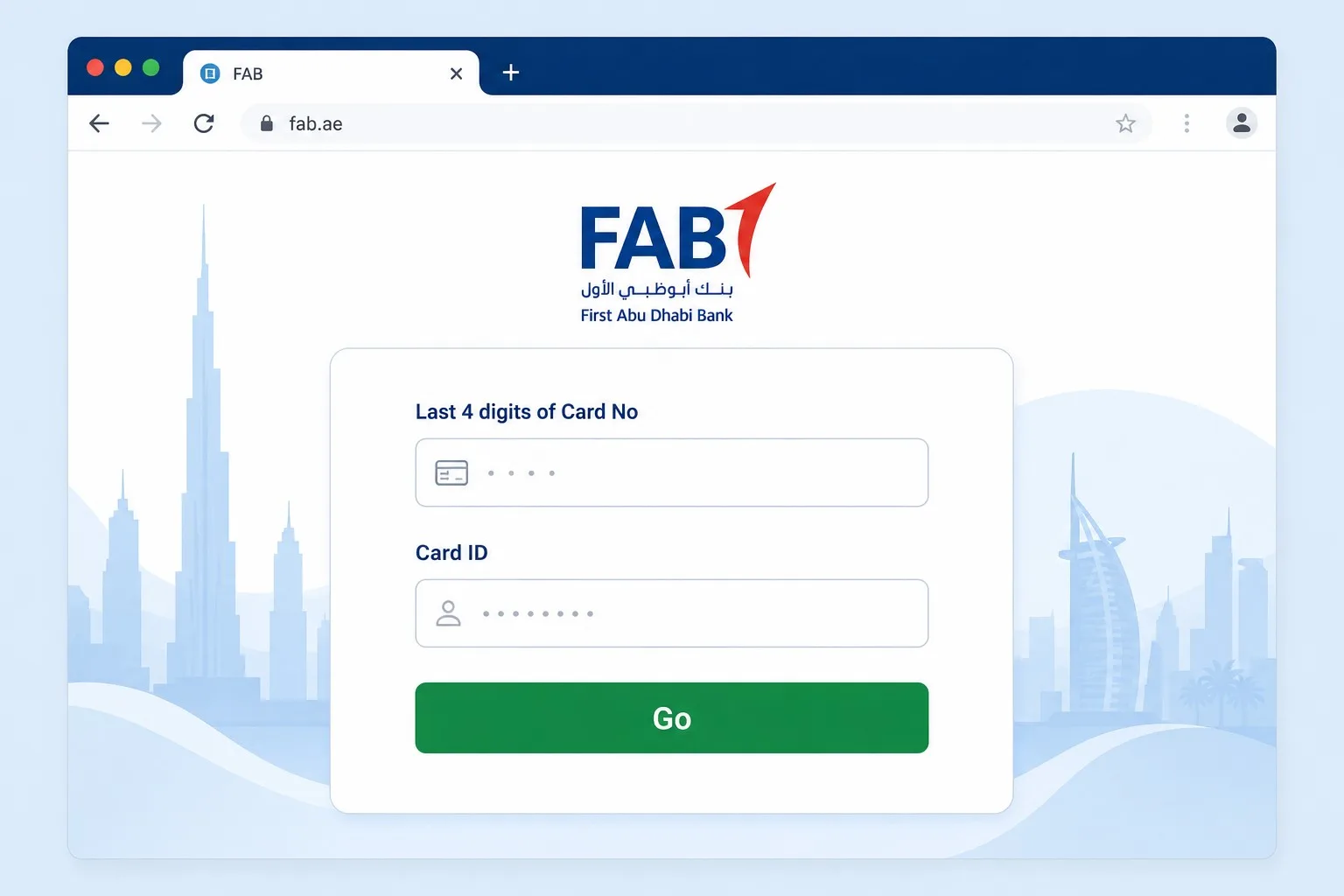
Your Card ID is different from your card number. It is a separate reference number printed on the face of your card — usually above or below the card number. If you cannot find it, check the leaflet that came with your card or ask your employer’s HR.
Method 2 — Payit App (Best for Ratibi Cardholders)
Payit is the official digital wallet app by First Abu Dhabi Bank and works particularly well for Ratibi cardholders. It also gives you access to the “Money on Demand” feature — more on that below.
Steps:
- Download the Payit app from Google Play Store or Apple App Store
- Open the app and tap “Get Started”
- Select “Ratibi Card Holder” when prompted
- Enter your Emirates ID details and verify your mobile number with OTP
- Enter your Card ID and last 4 digits of your Ratibi card
- Create a 4-digit PIN
- Your balance and transaction history are now visible on the dashboard
Once set up, you can check your balance anytime by opening the app. You can also view your full salary transaction history, which is useful if you need proof of payment.
Method 3 — FAB Mobile Banking App
If your employer has set you up with FAB mobile banking access alongside your Ratibi card, you can use the FAB app directly.
Steps:
- Download the FAB Mobile app from Google Play or App Store
- Log in or register using your card number and Emirates ID
- Go to Cards section on the dashboard
- Select your Ratibi Prepaid Card
- Tap “Balance” or “Transactions” to view your current salary and spending history
Note: Not every Ratibi cardholder has FAB mobile banking access. If you have never set this up, use the Payit app (Method 2) or the Magnati portal (Method 1) instead.
Method 4 — FAB ATM (No Internet Needed)
This is the most reliable offline method, especially if you do not have a smartphone or internet connection.
Steps:
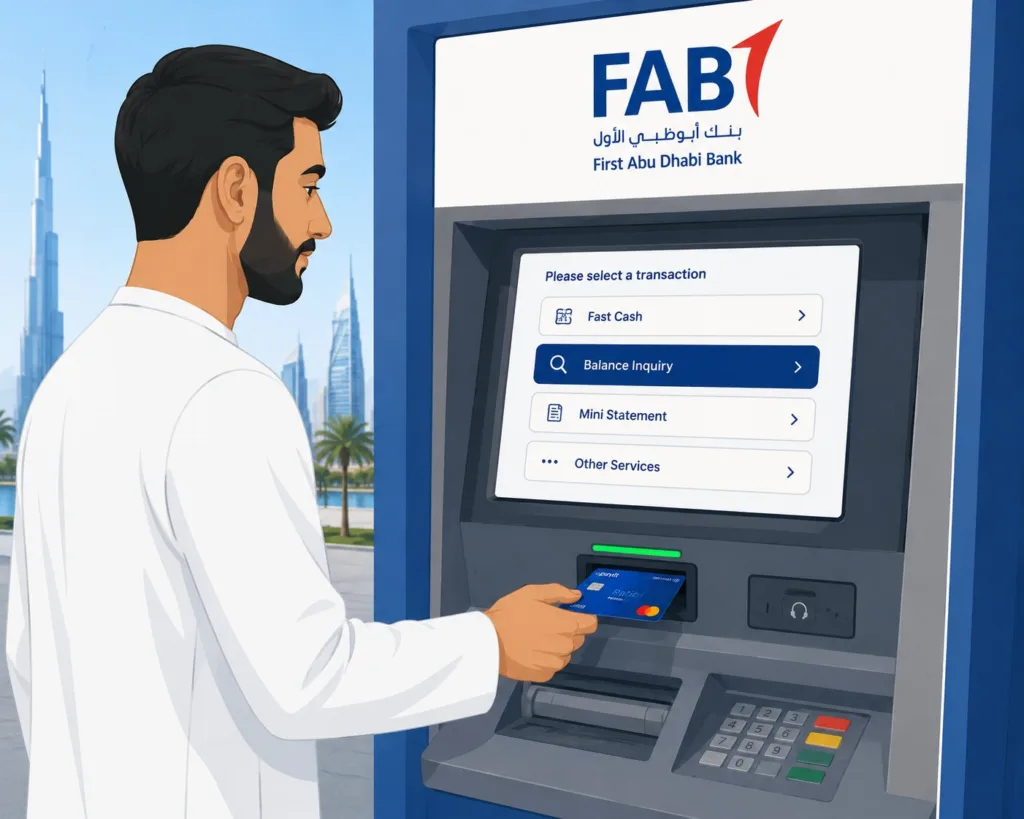
- Go to any FAB ATM (free balance check — no fees deducted)
- Insert your Ratibi card
- Enter your 4-digit PIN
- Select “Balance Inquiry”
- Your balance appears on screen — you can also choose to print a mini statement
You can also use non-FAB ATMs across the UAE, but FAB ATMs are recommended to avoid any enquiry fees. FAB has one of the largest ATM networks in the country.
If you have never set your PIN, you can do this at any FAB ATM by selecting “PIN Services” and following the prompts. You will need your Card ID to complete this.
Method 5 — Ratibi Helpline (Phone Balance Check)
If you prefer to speak to someone or cannot access the internet or an ATM, you can call the Ratibi helpline directly.
- UAE local number: 600 522 298
- International: +971 2 499 6279
- Available 24/7
When you call, the system will ask for your card details to verify your identity before reading your balance. Keep your Ratibi card and Emirates ID nearby when you call.
If you’re interested in comparing Ratibi with other prepaid cards available in the UAE, check our guide on prepaid card enquiry methods.
Salary Not Showing on Your Ratibi Card? Read This First
Your Ratibi balance check showing zero or less than expected does not always mean your employer has not paid. There are several common reasons your salary may not appear immediately.
| Reason | What to Do |
|---|---|
| Employer submitted salary file late | Contact HR — ask for WPS submission confirmation |
| Bank processing delay (after cut-off time) | Wait a few hours and check again |
| WPS file rejected due to incorrect details | HR needs to resubmit to FAB |
| Card is inactive or blocked | Call Ratibi helpline: 600 522 298 |
| Salary credited to wrong card number | HR must verify employee card details with FAB |
| Public holiday processing delay | Allow 1 extra working day |
Rule of thumb: If your salary has not appeared within 24 hours of your usual pay date, contact your HR or payroll team first — not FAB. The most common cause is on the employer side, not the bank.
💬 Real Talk Many workers panic and call FAB when their salary does not show up on time. In most cases, FAB cannot help you — they can only confirm whether money was received or not. The real fix is almost always with your employer’s HR or accounts team. They need to check whether the WPS salary file was submitted on time and whether it was accepted. Ask them for the WPS transfer reference number — if they cannot provide it, the salary was probably never sent.
Ratibi Card Features You Should Know About in 2026
Your Ratibi card does more than just hold your salary. Here are the key features that affect your day-to-day finances.
Free Personal Accident Insurance
Every Ratibi card comes with complimentary personal accident insurance, automatically included at no extra cost.
| Coverage Type | Amount |
|---|---|
| Death or permanent total disability (due to accident) | 5x monthly salary OR AED 25,000 (whichever is lower) |
| Hospitalisation due to accident (minimum 24 hours) | AED 50 per day, up to AED 1,500 (max 30 days) |
| Repatriation of mortal remains | Actual cost up to AED 5,000 |
Worked example: If your salary is AED 2,000 per month and you suffer a permanent disability from an accident, the insurance pays AED 10,000 (5x your salary), since it is below the AED 25,000 cap. If your salary is AED 5,000, you receive the full AED 25,000.
Most workers do not know this insurance exists. You do not need to register — it is active the moment your card is issued.
Money on Demand — Access Salary Before Payday
Through the Payit app, eligible Ratibi cardholders can access up to 50% of their earned salary before the official pay date. This feature is called “Money on Demand.”
This is not a loan — it is an advance on salary you have already earned. No interest is charged. The advanced amount is deducted automatically when your full salary is credited.
To use it: open the Payit app → go to “Money on Demand” → select the amount you need → confirm. The funds appear in your Payit wallet immediately.
What You Cannot Do With a Ratibi Card
Understanding the limits saves you frustration later.
- You cannot transfer money from your Ratibi card to another bank account — it is a salary-receipt card only
- You cannot use it for international remittance directly — use an exchange house or the Payit app’s transfer features instead
- The card is not reloadable by you — only your employer can credit funds to it
- If your salary rises above AED 5,000, you will need to open a regular bank account — the Ratibi card is no longer available above that threshold
Ratibi Card Balance Check — Frequently Asked Questions
Q1: What is the official website to check Ratibi card balance?
The official balance check portal is ppc.magnati.com/ppc-inquiry, operated by Magnati (formerly FAB’s payment processing arm). It is free and does not require an account login.
Q2: Do I need the last 2 or last 4 digits of my card to check my balance?
You need the last 4 digits of your card number, not 2. The PPC Magnati portal clearly shows two separate fields — one for the last 4 card digits and one for your Card ID.
Q3: Where do I find my Ratibi Card ID?
Your Card ID is printed on the front of your Ratibi card. It is a separate number from your card number. If you have misplaced your card, contact the Ratibi helpline on 600 522 298.
Q4: Can I check my Ratibi balance without internet?
Yes. Insert your card into any FAB ATM, enter your PIN, and select “Balance Inquiry.” No internet or smartphone is needed.
Q5: Why is my Ratibi balance zero after payday?
The most likely reason is a delay in your employer’s WPS salary file submission or a processing delay after banking cut-off hours. Contact your HR team first and ask for the WPS transfer confirmation. If they confirm salary was sent, wait a few hours and check again. If you want to benchmark your Ratibi card salary against industry standards and understand what constitutes a fair salary in Dubai, check our detailed guide.
Q6: Is checking my Ratibi balance free?
Yes. All five methods — Magnati portal, Payit app, FAB app, FAB ATM, and helpline — are completely free with no deduction from your balance.
Q7: Can I check my Ratibi card balance from outside the UAE?
Yes. The PPC Magnati portal and Payit app both work internationally. For phone enquiries from outside the UAE, call +971 2 499 6279.
Q8: What is the Ratibi helpline number?
The Ratibi helpline is 600 522 298 (within UAE) and +971 2 499 6279 (international). It is available 24/7.
Q9: My Ratibi card is blocked — what should I do?
Call the Ratibi helpline immediately at 600 522 298. Have your Emirates ID ready. If you report a lost or stolen card, they will block the old card and arrange a replacement through your employer.
Q10: Can I use my Ratibi card to withdraw cash from any ATM in the UAE?
Yes. The Ratibi card works at all ATMs across the UAE and at Visa/Mastercard networks internationally. Use FAB ATMs for free withdrawals — other bank ATMs may charge a small fee.