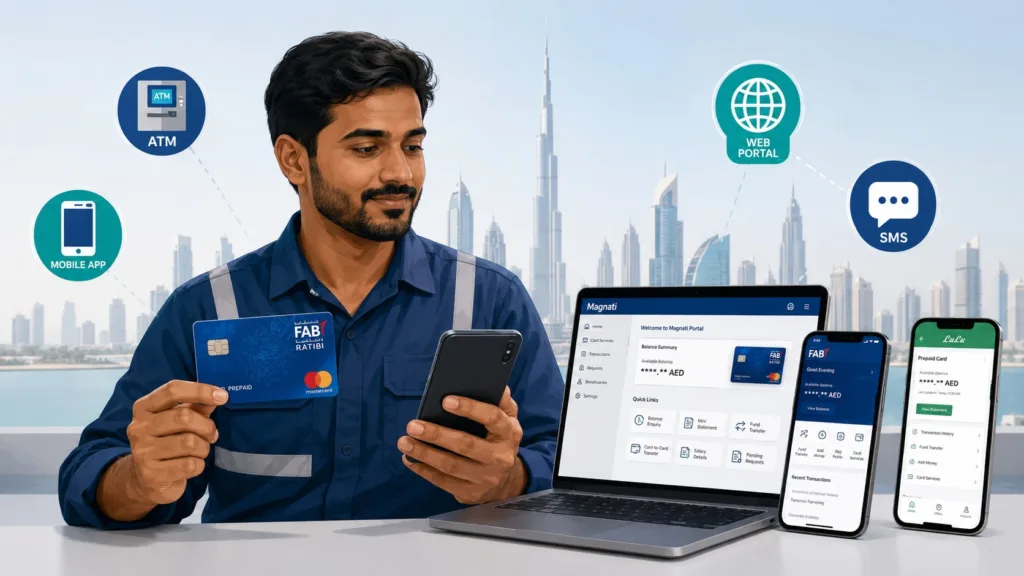
A prepaid card enquiry in the UAE is the fastest way to check your salary or prepaid card balance without visiting a bank. Whether you hold a FAB Ratibi card, NBAD prepaid card, Lulu salary card, or MyPay card, you can access your balance instantly through multiple channels — online portals, ATMs, mobile apps, SMS, or phone calls. This guide covers every method available to check your prepaid card balance in 2026, with step-by-step instructions for each.
Quick Answer The fastest prepaid card enquiry in the UAE is through the online PPC Magnati portal (ppc.magnati.com/ppc-inquiry) for FAB and NBAD cards, which takes seconds. For Lulu salary cards, visit lulumoney.ae/balance-check. For other cards, use your bank’s mobile app or dial the customer service number. All methods are free and available 24/7 with no ATM charges or account requirements.
What Are Prepaid Cards in the UAE and Who Gets Them?
A prepaid card is a salary or payment card that holds money without requiring a traditional bank account. Your employer or a financial institution loads money directly onto the card, and you can spend, withdraw, or check your balance anytime.
Prepaid cards are part of the UAE Wage Protection System (WPS), regulated by the Ministry of Human Resources and Emiratisation (MOHRE). They are designed for workers earning up to AED 5,000 per month who either do not have bank accounts or prefer a simpler payroll method.
Unlike a debit card (which requires a bank account), prepaid cards are standalone — you do not need to qualify for banking services to use one. This makes them accessible to construction workers, domestic staff, retail employees, and migrant workers across the UAE. Since most banks require a AED 5,000 salary for credit cards, many prepaid cardholders also ask about getting a credit card on an AED 4,000 salary.
If you want to learn more about Ratibi cards specifically, including their benefits, insurance coverage, and how employers can apply for them, read our complete Ratibi card guide.
Types of Prepaid Cards Available in UAE 2026
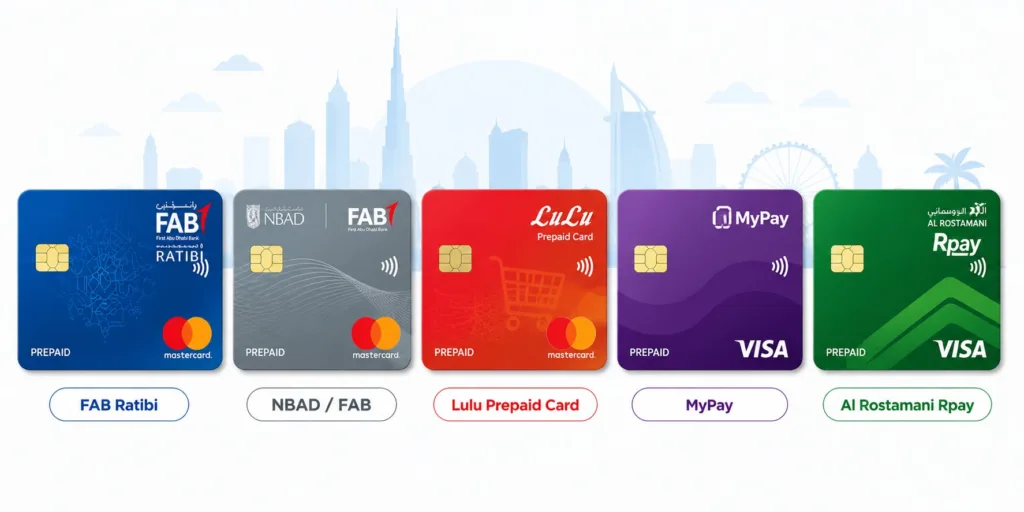
There are five main prepaid card brands used for salary payments in the UAE:
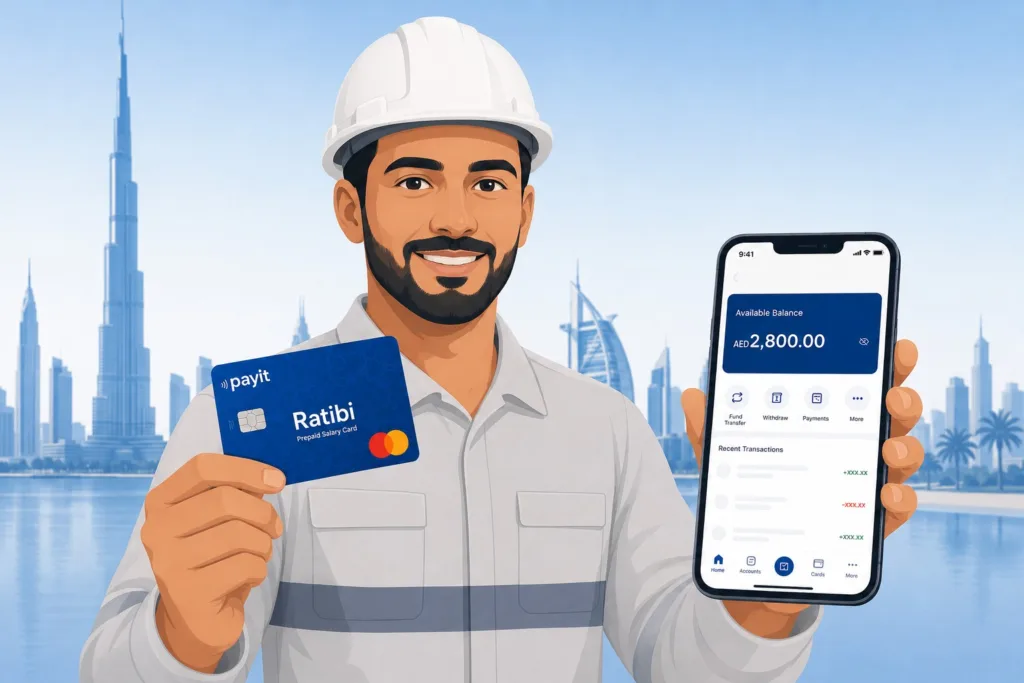
FAB Ratibi Card — Issued by First Abu Dhabi Bank (FAB) for employees earning up to AED 5,000. It is the most widely used salary card in the UAE. Balance enquiry portal: ppc.magnati.com
NBAD Prepaid Cards — NBAD merged with First Gulf Bank in 2016 to become FAB. All NBAD card services now operate under FAB. If you search for “NBAD balance inquiry,” you will be redirected to FAB’s system.
Lulu Money Salary Card — Issued by Lulu Exchange for their employees and affiliated businesses. Balance enquiry: lulumoney.ae/balance-check
MyPay Card — A reloadable prepaid card for daily purchases and salary deposits. Balance enquiry available through the MyPay app or portal.
Al Rostamani Rpay Card — Issued by Al Rostamani Exchange. Widely used for construction and retail workers.
Each card has its own balance enquiry method, though most are free and available 24/7.
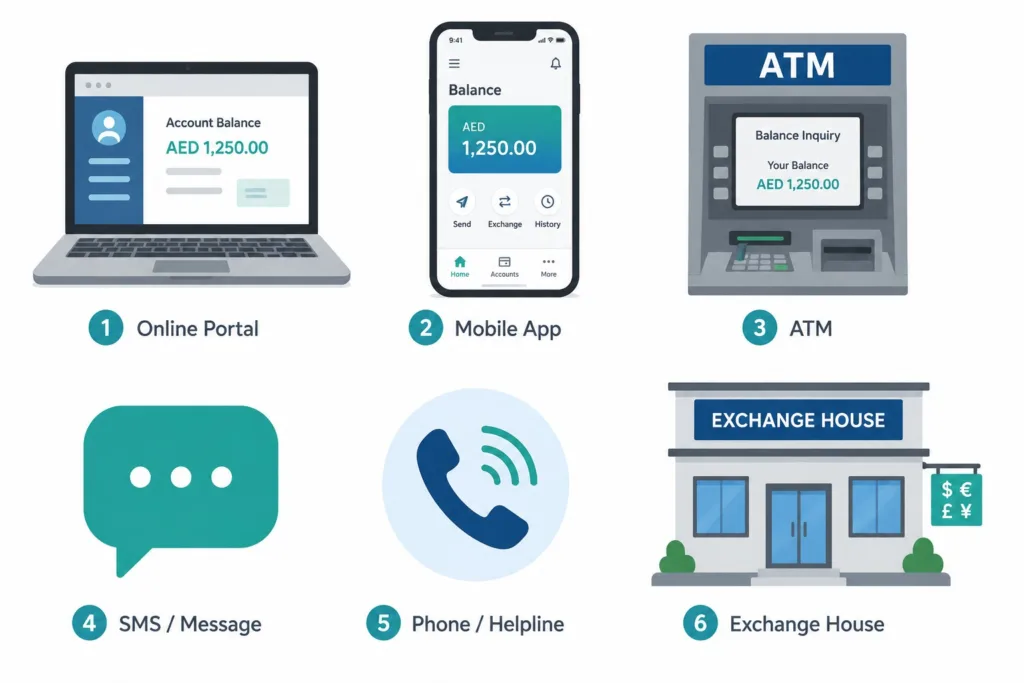
How to Check Prepaid Card Balance — 6 Methods 2026
You can check your prepaid card balance through six official channels. The right method depends on the card type, your access to internet, and your location.
| Method | Best For | Speed | Cost | Available |
|---|---|---|---|---|
| Online Portal (Magnati/Bank) | FAB/NBAD Ratibi | Instant | Free | 24/7 |
| Mobile Banking App | All cards | Instant | Free | 24/7 |
| ATM Balance Inquiry | All cards | Instant | Free (FAB/own bank ATM) | 24/7 |
| SMS Balance Request | No smartphone | ~1 min | Free | 24/7 |
| Phone Customer Service | Need assistance | ~5 min | Free | 24/7 |
| Exchange House ATM | Lulu/Al Ansari/Al Rostamani | Instant | Free | Business hours |
Worked example: If your FAB Ratibi salary is credited on the 28th, you can confirm it arrived within seconds using the Magnati portal or the FAB Mobile App. You do not need to wait for an SMS or visit a branch.
Method 1 — Online Prepaid Card Enquiry Portal (Fastest)
For FAB and NBAD Cards:
- Open your browser and go to ppc.magnati.com/ppc-inquiry
- Enter the last 4 digits of your card number
- Enter your Card ID (printed on the front of your card)
- Complete the captcha verification
- Click “Go”
- Your available balance appears instantly
For Lulu Money Salary Card:
- Visit lulumoney.ae/balance-check
- Enter your Lulu card number and registered mobile number
- Verify with OTP sent to your phone
- Your balance appears on screen
For MyPay Card:
- Go to the MyPay official portal (portal.mypayuae.com)
- Log in with your card details
- Your balance and transaction history are displayed
Important: The FAB/Magnati portal requires the last 4 digits of your card, not 2. This is a common mistake. Your Card ID is a separate 13-digit number printed below your card number on the card itself.
For a complete step-by-step guide specific to checking your Ratibi card balance, including troubleshooting common errors on the Magnati portal, check our detailed Ratibi balance check guide.
Method 2 — Mobile Banking App (Most Convenient)
Most prepaid card providers have dedicated mobile apps that show your balance instantly.
FAB Mobile App (for FAB Ratibi):
- Download from Apple App Store or Google Play Store
- Log in with your card number and Emirates ID
- Go to “Cards” → Select your Ratibi card
- Your balance is displayed on the dashboard
- Enable notifications for salary credit alerts
Payit App (for FAB Ratibi cardholders):
- This is the official digital wallet for FAB Ratibi users
- Offers additional features like “Money on Demand” (access salary before payday)
- Faster setup than FAB Mobile App for new users
Lulu Money App (for Lulu salary card):
- Download the app from your phone’s app store
- Register with your Lulu card details
- View balance, transaction history, and request cash withdrawals
MyPay App (for MyPay card users):
- Real-time balance updates
- Weekly and monthly spending summaries
- Bills and mobile top-up features
All apps are free to download and use.
Method 3 — ATM Balance Inquiry (No Internet Needed)
This is the most reliable offline method to check your balance.
Steps for any ATM (FAB, NBAD, Lulu, or other bank):
- Find an ATM that accepts your card type
- Insert your prepaid card
- Enter your 4-digit PIN
- Select “Balance Inquiry” or “Account Balance” from the menu
- Your available balance and last transactions appear on screen
- Optionally, request a mini statement or print a receipt
Cost: Completely free. FAB ATMs charge no enquiry fee. Other bank ATMs may charge a small fee (AED 2–5), so use your card issuer’s ATM when possible.
Note: If you have never set your PIN, visit any ATM and select “PIN Services” to create one. You will need your card number and Card ID.
Lulu Exchange and Al Ansari ATMs also support balance inquiries for Lulu and Al Ansari salary cards at no cost.
Method 4 — SMS Balance Request (For Basic Phones)
If you do not have a smartphone or internet, you can check your balance via SMS.
FAB/NBAD Ratibi SMS:
- Text “BAL” (or “BALANCE”) to 2121 from your registered mobile
- You receive an instant SMS reply with your balance
- Cost: Standard SMS rate (usually free with your plan)
Lulu Salary Card SMS:
- Text your request to the Lulu customer service number
- Check Lulu’s official SMS code on lulumoney.ae
Important: You must register your mobile number with your card provider first. Visit a bank branch or use their app to link your phone number to your prepaid card.
Method 5 — Phone Customer Service (Need Help?)
If you need immediate assistance or have forgotten your card details, call your card issuer’s helpline.
FAB/NBAD Ratibi Helpline:
- UAE: 600 525 500 (24/7, toll-free)
- International: +971 2 681 1511
- Wait times are usually short
- Speak to an agent who can confirm your balance immediately
Lulu Money Customer Service:
- Call Lulu Exchange directly for balance inquiries
- Available during business hours and via chat online
MyPay Support:
- Contact via the MyPay app
- Email support available for non-urgent queries
Keep your card number, Card ID, and Emirates ID handy when you call.
Method 6 — Exchange House ATM (For Lulu, Al Ansari, Al Rostamani)
If your salary comes through Lulu Exchange, Al Ansari Exchange, or Al Rostamani Exchange, you can check your balance at their physical ATM machines or kiosks.
Steps:
- Locate the nearest Lulu Exchange, Al Ansari, or Al Rostamani branch
- Use their dedicated ATM machine
- Insert your prepaid salary card
- Select “Balance Inquiry”
- Your balance appears instantly — free of charge
These exchange houses have hundreds of locations across the UAE, often more accessible than bank branches.
Prepaid Card Enquiry by Card Type — Quick Reference Table
| Card Name | Issuer | Best Check Method | Portal Link | Helpline |
|---|---|---|---|---|
| Ratibi | FAB | PPC Magnati portal or FAB Mobile App | ppc.magnati.com/ppc-inquiry | 600 525 500 |
| NBAD Prepaid | FAB | FAB systems (merged in 2016) | ppc.magnati.com/ppc-inquiry | 600 525 500 |
| Lulu Money | Lulu Exchange | Lulu app or website | lulumoney.ae/balance-check | Lulu Exchange branch |
| MyPay | MyPay Provider | MyPay app or portal | portal.mypayuae.com | MyPay support |
| Rpay (Al Rostamani) | Al Rostamani | Al Rostamani ATM or branch | N/A | Al Rostamani branch |
| Emirates NBD Salary Card | Emirates NBD | Emirates NBD app | emiratesnbd.com | 4 600 5555 |
Worked example: If you work for a construction company that pays through Ratibi, the fastest way to check your salary is the Magnati portal (10 seconds). If you work for a retail company using Lulu Money, use the Lulu app (15 seconds). Both are free and instant.
Salary Not Showing on Your Prepaid Card? Troubleshooting Guide
If your salary has not appeared on your card by the expected date, there are several common reasons. Do not panic — most issues are resolved quickly.
| Problem | Likely Cause | What to Do |
|---|---|---|
| Balance showing zero | Employer has not submitted WPS file yet | Contact HR — ask for WPS submission confirmation |
| Salary is late by a few hours | Bank processing after daily cut-off time | Wait a few hours and check again |
| Card shows blocked status | WPS file rejected or card locked | Call your card issuer helpline immediately |
| Wrong amount credited | Employer sent incorrect salary figure | HR needs to verify amount with payroll and resubmit |
| Card deactivated | You never activated the card | Visit a bank ATM and activate using PIN setup |
| Salary credited to old card | You received a replacement card | Contact HR to update your card number in the payroll system |
| Salary divided into multiple credits | Employer has multiple cost centers or branches | Normal if your company has multiple payroll uploads — all money will eventually arrive |
| Public holiday delay | Processing delayed due to bank closure | Allow 1 extra business day |
💬 Real Talk Here’s the secret most workers do not know: if your salary is missing, the bank did not lose it — your employer probably never sent it. The bank cannot pay money they never received. Before you spend an hour calling FAB or NBAD, contact your HR or accounts team first and ask them: “Did you submit the WPS salary file to the bank?” If they say yes, ask for the WPS reference number. If they cannot provide a reference number within 10 minutes, the file was never sent. This is where the real problem sits. Once HR submits the file, the bank usually credits your card within 1–4 hours.
Security Tips When Checking Your Prepaid Card Balance Online
Your prepaid card balance enquiry is secure when you use official channels, but follow these safety rules:
- Use only official portals: ppc.magnati.com (FAB), lulumoney.ae (Lulu), emiratesnbd.com (Emirates NBD). Never use links from emails or messages.
- Never share your Card ID: Your Card ID (13 digits) is like your PIN — keep it private. Scammers can access your balance or block your card if they have this number.
- Do not write your PIN: Do not share your PIN with anyone, including bank staff (they never ask for it).
- Check your statement regularly: Review your transaction history weekly. If you see unauthorized withdrawals, contact your card issuer immediately.
- Use the FAB/Payit app on secure WiFi: Avoid public WiFi when checking your balance on mobile apps — use your mobile data instead.
- Enable SMS alerts: Ask your card issuer to send you an SMS every time your salary is credited. This way you know instantly if payment was made.
All official prepaid card enquiry systems use encrypted connections (HTTPS), so your card details are safe when you log in.
FAQs — Prepaid Card Enquiry UAE 2026
Q1: Is prepaid card balance enquiry free? Yes. All balance enquiry methods — online portals, mobile apps, ATMs, SMS, and phone calls — are completely free. There are no hidden charges.
Q2: Can I check my prepaid card balance without the Card ID? No. Most portals require both your card number (or last 4 digits) and your Card ID. If you have lost your card, contact your card issuer’s helpline.
Q3: What is the difference between a prepaid card and a debit card? A prepaid card does not require a bank account and is loaded by your employer. A debit card is linked to your bank account. Both show your available balance similarly. Neither card offers a credit limit. If you want one, see how to get a credit card on a low salary in the UAE.
Q4: Why does my prepaid card balance not update after I withdraw cash? It should update within seconds. If it does not, your bank may have a temporary processing delay. Wait 5–10 minutes and refresh.
Q5: Can I check my prepaid card balance from outside the UAE? Yes. The online portals (Magnati, Lulu, MyPay) work internationally. For phone enquiries, call the international helpline (e.g., +971 2 681 1511 for FAB).
Q6: What is the Payit app and how is it different from FAB Mobile App? Payit is the official digital wallet for FAB Ratibi cardholders. It offers additional features like “Money on Demand” (early salary access), fund transfers, and bill payments. FAB Mobile App is for general FAB banking. Both show your balance.
Q7: Can my employer see my balance enquiry? No. Your balance enquiry is private. Only you and the bank can see your balance. Your employer cannot access this information.
Q8: Why am I getting a captcha error on the Magnati portal? This usually means you entered the Card ID incorrectly (13 digits) or the portal is temporarily slow. Refresh the page and try again. If the error persists, try again after 10 minutes.
Q9: Can I block my prepaid card if it is lost? Yes. Call your card issuer’s helpline immediately. They will block the old card and arrange a replacement. You will receive a new card within 3–5 working days.
Q10: What is the daily ATM withdrawal limit on a prepaid card? Most prepaid cards have a daily limit of AED 1,000–AED 5,000 (varies by card type and provider). Check your card’s terms or ask your employer.