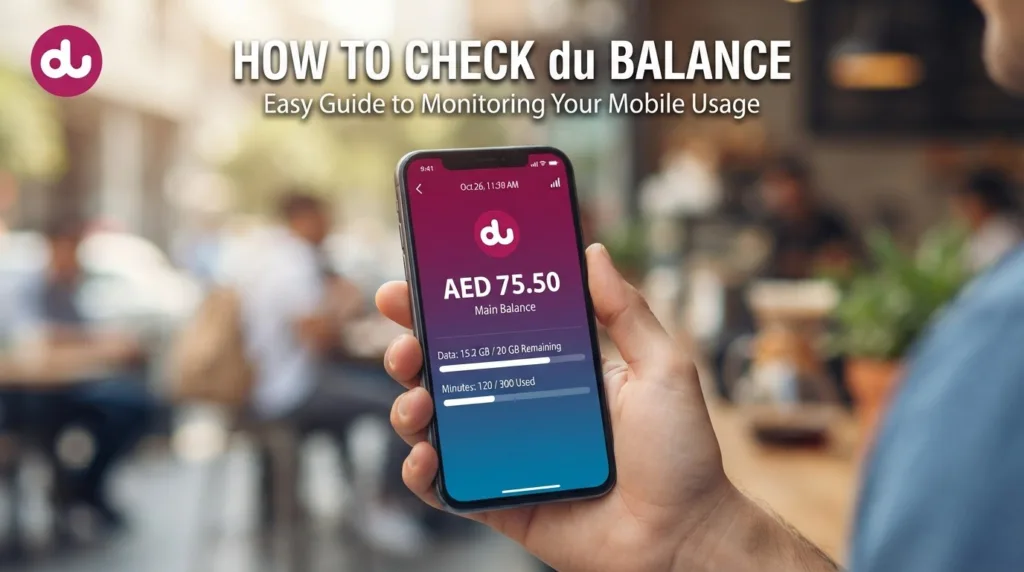
Running out of credit in the middle of a call, or watching your mobile data stop on the Metro, is a very UAE-expat kind of annoyance. The good news is that a du balance check takes less than ten seconds once you know the right code, app screen or SMS. This 2026 guide covers every working method for prepaid, postpaid and data users, flags the outdated codes still circulating online, and explains what to do when a check does not work.
Quick Answer: For a du balance check on prepaid, dial *135# (free) and choose the balance option, or SMS “balance” to 1335. Postpaid users should open the du app or My Account on du.ae to see the bill amount, due date and unbilled usage. The du app also shows remaining data.
du Balance Check 2026: All Methods at a Glance
Before the step-by-step instructions, here is a one-table summary. Bookmark it and you will rarely need anything else.
| Method | Works for | What it shows | Cost | Internet needed? |
|---|---|---|---|---|
| Dial *135# | Prepaid | Credit, validity, bundles, recharge menu | Free | No |
| SMS “balance” to 1335 | Prepaid | Main credit balance | Free | No |
| du app | Prepaid, postpaid, Home Wireless, data SIMs | Credit or bill, data, minutes, validity, add-ons | Free | Yes (Wi-Fi works) |
| My Account on du.ae | Postpaid, prepaid | Bills, usage, payments | Free | Yes |
| Call 155 | All du lines | Agent or IVR balance info | Free from a du line | No |
How to Check du Balance on a Prepaid SIM
Prepaid lines (including the popular Flexi and Visitor lines) have three no-internet options. If you are wondering how to check du balance without the app, start with the first one.
Method 1: The du Balance Check Code *135#
The main du balance check code is *135#. du launched this USSD menu so prepaid customers would not need to remember many separate codes, and it is free to use.
- Open your phone’s dialler.
- Type *135# and press call.
- A pop-up menu appears. Select the option for your balance (reply with the number shown next to it).
- Your remaining credit and line validity appear on screen within seconds.
The same menu lets you recharge, buy data bundles and see current international calling offers, so it is worth exploring once.
Method 2: SMS “balance” to 1335
- Open your messages app.
- Type balance (or bal).
- Send it to 1335.
- You receive a reply SMS with your current credit.
Careful: several popular websites list 1355 as the number for this. That is a different du short code (used, for example, to stop data bundles). Use 1335 for your balance.
Method 3: The du App
- Download the official du app from the App Store or Google Play.
- Log in with your du mobile number and the one-time password sent by SMS.
- The home screen shows your credit, validity date and any active bundles.
The app is the only method that shows everything together, including add-ons you may have forgotten about.
du Data Balance Check: How Much Internet Is Left?
Running low on data is more common than running out of credit. For a du data balance check, use one of these:
- du app (best option): tap your line on the home screen and open the usage section. You see remaining GB, the bundle name and its expiry date. Connect to Wi-Fi if your data has already run out.
- *135# menu: dial *135# and open the data or bundles option to view and buy data packs.
- Text alerts: du sends an SMS when you use most of a bundle. Do not ignore these; once a bundle ends, any further data may be charged from your main credit.
If you rely heavily on mobile data, compare plan allowances in our du vs Etisalat comparison before you renew.
du Postpaid Balance Check: Bill Amount and Usage
Postpaid customers do not have a “balance” in the prepaid sense. Instead, a du postpaid balance check means seeing your current bill, due date and unbilled usage (what you have used since the last bill).
Using the du App
- Log in to the du app with your postpaid number.
- Open the bills section to see the latest bill amount and due date.
- Open usage to see minutes, data and charges added since your last bill.
- Pay the bill directly in the app if needed.
Using My Account on du.ae
Log in to My Account on the official du website to view and download past bills, see payment history and check outstanding amounts. This is useful when you need a PDF bill for a company reimbursement or a tenancy application.
The “Rewards to 1233” Myth
Many guides say you can SMS “Rewards” to 1233 (or 1223) to check a postpaid balance. That message relates to du’s rewards programme, not your bill. For an accurate amount owed, always use the app or My Account.
Check du Balance Without Credit or While Roaming
- No credit at all: *135# and SMS to 1335 still work when your balance is zero, so you can always see where you stand and recharge from the same menu.
- Abroad: the du app over hotel or airport Wi-Fi is the safest choice because it uses no roaming data. USSD codes such as *135# normally work on partner networks too, but menus can be slower.
- Home Wireless and data-only SIMs: these cannot make calls, so use the du app or My Account.
Recharge and Transfer Credit: Codes in One Place
Once you have checked your balance, you will often want to top up. These are the codes expats use most:
| Task | Code or method |
|---|---|
| Recharge with a scratch card | Dial *135*card number# |
| Recharge online | du app, du.ae, or a bank app (Quick Pay) |
| Transfer credit to another du number | Dial *121*recipient number*amount# |
| Find your own du number | See our guide on how to know my du number |
| Customer care | Call 155 from your du line |
Transfer limits and minimum amounts apply; du confirms the details on screen before the transfer goes through.
Why Is My du Balance Going Down? Common Fixes
If your credit drops faster than expected, the cause is usually one of these:
- Active subscriptions: caller tunes, content services or auto-renewing bundles. Our step-by-step guide on how to cancel a du subscription shows how to find and stop them.
- Out-of-bundle data: when a bundle ends, mobile data may draw from main credit. Turn off mobile data or buy a new bundle.
- International calls outside your pack: check that the number you call is included.
- *135# shows an error: restart the phone, make sure the SIM is in slot 1 on dual-SIM phones, and try again. If it still fails, use the du app or call 155.
If you believe you were charged incorrectly and du does not resolve it, the UAE telecom regulator explains your rights on the TDRA Consumer Affairs page. Complaints go to du first, then to TDRA if they are not resolved.
Switching between du and Etisalat (e&)? Our guide on how to check Etisalat balance covers the equivalent codes. For other everyday UAE services, see our UAE government services guide.
Frequently Asked Questions
What is the code for du balance check?
The du balance check code is *135#. Dial it from your du prepaid line and choose the balance option. It is free and works without internet, even when your credit is zero.
How do I check my du data balance?
Open the du app and view the usage section of your line, which shows remaining GB and bundle expiry. You can also dial *135# and open the data or bundles menu.
How can I check my du balance by SMS?
Send an SMS with the word “balance” to 1335 from your du prepaid number. You will get a free reply with your remaining credit.
How do I check my du postpaid bill?
Use the du app or My Account on du.ae. Both show your latest bill, due date, unbilled usage and payment history, and let you pay online.
Can I check my du balance without internet?
Yes. Dialling *135# and sending “balance” to 1335 both work without mobile data or Wi-Fi. Only the du app and My Account need an internet connection.
Is the du balance check free?
Yes. Checking balance through *135#, SMS to 1335, the du app and My Account is free for du customers in the UAE.
Why is *135# not working on my phone?
The most common causes are a weak network, the du SIM sitting in the second slot of a dual-SIM phone, or a temporary system issue. Restart the phone and try again, or use the du app.
Final Tip
Save *135# and 1335 in your phone contacts as “du balance”. It takes ten seconds and means you will never need to search for the code again. If you lost your job recently and need to cut costs, a regular du balance check also helps you spot services you can cancel; our guide on what happens to your visa after job loss covers the bigger next steps.