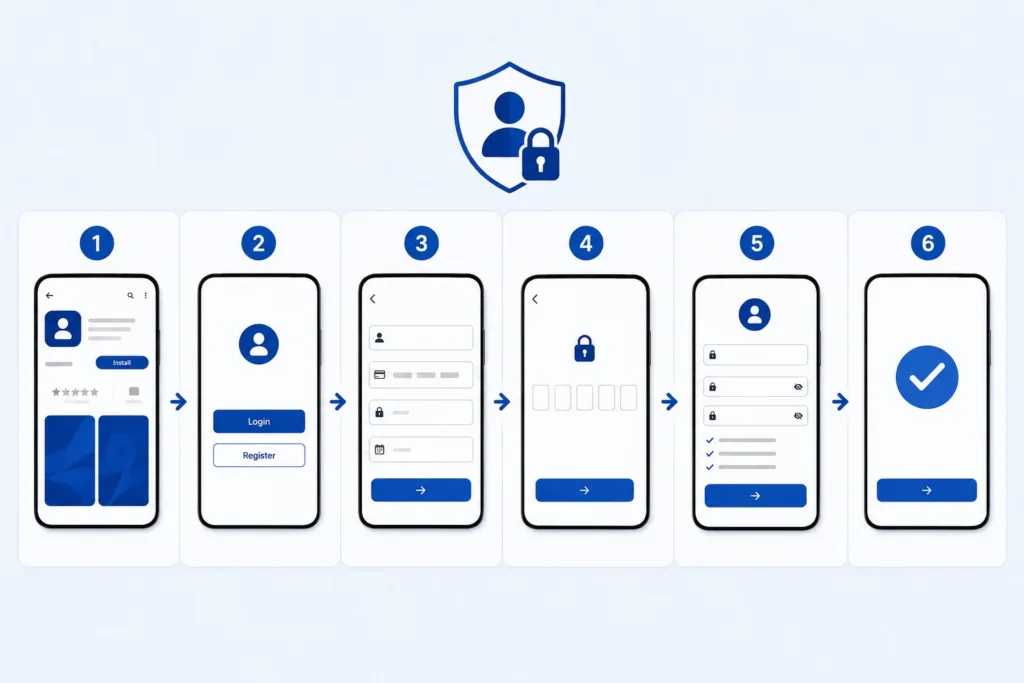
Managing your finances digitally has become an essential part of everyday life in the UAE. First Abu Dhabi Bank (FAB), one of the region’s leading financial institutions, offers secure online banking services that allow customers to access their accounts anytime and anywhere. Whether you want to transfer funds, pay bills, manage cards, or perform a fab check balance, registering for FAB Online Banking is the first step toward convenient digital banking. This guide explains the complete FAB Online Banking registration process, requirements, benefits, troubleshooting tips, and security recommendations for new users in 2026.
What Is FAB Online Banking?
FAB Online Banking is a digital banking platform that enables customers to access their accounts through a web browser or mobile application. Once registered, users can perform various banking activities without visiting a branch.
Key services include:
- Checking account balances
- Viewing transaction history
- Fund transfers
- Credit card management
- Bill payments
- Downloading account statements
- Managing debit and credit cards
- Applying for banking products online
Thinking of applying for a card through your salary bank? Check the credit card requirements for AED 4,000 earners first.
The platform is available 24/7, making banking more convenient for customers across the UAE.
Requirements Before Registration
Before starting the registration process, ensure you have the following:
Active FAB Account
You must have an active FAB savings, current, salary, or other eligible account.
If you receive your salary through a WPS prepaid card, note that registration requirements may differ. Check our guide on the Ratibi card UAE to confirm your card type before proceeding.
Registered Mobile Number
Your mobile number should be linked to your FAB account because verification codes will be sent via SMS during registration.
Registered Email Address
FAB may send verification information and security notifications to your registered email address.
Customer ID or Debit/Credit Card
You will typically need either:
- Customer Identification Number (Customer ID)
- FAB Debit Card
- FAB Credit Card
These details help verify your identity during registration.
Step-by-Step Guide to Register for FAB Online Banking
The registration process is straightforward and usually takes only a few minutes.
Step 1: Visit the FAB Online Banking Portal
Open your preferred web browser and go to the official FAB website.
Navigate to:
- Login
- Personal Online Banking (UAE)
- Register Now
You may also begin registration through the official FAB Mobile Banking App.
Step 2: Select Registration Method
FAB generally allows registration using:
- Customer ID
- Debit card number
- Credit card number
Choose the option that is most convenient for you.
Step 3: Enter Personal Details
Provide the required information, which may include:
- Customer ID
- Card number
- Registered mobile number
- Additional identification details
Make sure all information matches your bank records exactly.
Step 4: Verify Your Identity
FAB uses multi-factor authentication to protect customer accounts.
You will typically receive:
- One-Time Password (OTP) via SMS
- Additional verification through email in some cases
Enter the verification code promptly to continue.
Step 5: Create Your Username
Choose a username that is easy for you to remember but difficult for others to guess.
Many customers use a combination of:
- Letters
- Numbers
- Unique identifiers
Avoid using obvious information such as your full name or birthdate.
Step 6: Create a Strong Password
FAB requires secure passwords to protect customer accounts.
A strong password should contain:
- Uppercase letters
- Lowercase letters
- Numbers
- Special characters
- Minimum required length
Avoid reusing passwords from other websites or services.
Step 7: Accept Terms and Conditions
Carefully review the online banking terms and conditions.
After reading the agreement:
- Accept the terms
- Confirm your registration request
FAB will then process your registration.
Step 8: Complete Activation
Once registration is approved, your online banking account becomes active.
You can now:
- Log in securely
- Access account information
- Use digital banking services
Most registrations are activated immediately after successful verification.
Registering Through the FAB Mobile App
Many customers prefer using the FAB Mobile Banking App.
Download the App
Install the official FAB app from:
- Google Play Store
- Apple App Store
Always verify that the application is published by First Abu Dhabi Bank before downloading.
Start Registration
Open the app and choose:
- Register
- New User
- Already a Customer
The app will guide you through the identity verification process.
Enable Biometric Login
After registration, you may activate:
- Fingerprint login
- Face recognition
This improves both convenience and security.
Benefits of FAB Online Banking
Once registered, customers gain access to numerous banking services.
24/7 Account Access
You can manage finances at any time without visiting a branch.
WPS salary cardholders can also check their balance anytime — here’s how to do a Ratibi card balance check without visiting a branch or calling support.
Instant Fund Transfers
Transfer money locally and internationally from your account.
Bill Payments
Pay utility bills and other services conveniently online.
Card Management
Online banking allows users to:
- Monitor card transactions
- Reset card PINs
- Manage card settings
All from a single dashboard.
Digital Statements
Access and download account statements whenever needed.
Common Registration Problems and Solutions
OTP Not Received
Possible causes include:
- Incorrect mobile number
- Network issues
- Delayed SMS delivery
Solution:
- Verify your registered mobile number
- Wait a few minutes
- Request a new OTP
Customer ID Not Available
Some users may not know their Customer ID.
You can often find it on:
- Welcome documents
- Account statements
- Debit card-related communications
If necessary, contact FAB customer support for assistance.
If you’re a prepaid or WPS card holder and unsure about your account details, our prepaid card enquiry guide walks you through how to check your card status and find the information you need.
Registration Failed
If registration does not complete successfully:
- Double-check entered details
- Ensure your account is active
- Try another browser or device
- Contact customer support if needed
Login Issues After Registration
Make sure:
- Username is entered correctly
- Password matches exactly
- OTP verification is completed
Password reset options are available if required.
Security Tips for FAB Online Banking

Online banking security should always be a priority.
Never Share OTPs
FAB warns customers not to share OTPs, passwords, account numbers, or personal banking details with anyone.
Use Strong Passwords
Avoid weak passwords that can be easily guessed.
Enable Biometric Authentication
Face ID and fingerprint login provide an additional layer of protection.
Monitor Account Activity
Review transactions regularly to identify unauthorized activity quickly.
Use Official Channels Only
Always access online banking through official FAB websites and mobile applications.
What to Do If You Forget Your Password
FAB provides secure password recovery options.
Typically, users can:
- Select “Forgot Password”
- Verify identity through OTP
- Create a new password
- Regain account access
The process can usually be completed within minutes.
Future of FAB Digital Banking
FAB continues to expand its digital banking capabilities through enhanced security, biometric authentication, mobile banking improvements, and AI-powered customer support. Digital banking adoption in the UAE continues to grow as customers increasingly prefer online services over branch visits.
Future updates are expected to provide even more convenient account management and financial services through digital channels.
Conclusion
Registering for FAB Online Banking is a simple process that gives customers secure access to a wide range of banking services. With just a few verification steps, users can manage accounts, transfer funds, pay bills, monitor transactions, and access important banking tools from anywhere. By following the registration steps carefully, keeping personal information updated, and following recommended security practices, you can enjoy a safe and convenient digital banking experience with First Abu Dhabi Bank.